この節の作者: Rebecca Vederhus, Sebastian Jentschke
SPSSからjamoviへ:共分散分析(ANCOVA)
この比較では、1つの予測変数と2つのダミー変数を用いた回帰分析をSPSSとjamoviで実行する方法を示しています。SPSSでの分析は、Field (2017) の13.3章の説明、とくに結果13.1-13.2に従っています。この分析では、書籍付属のウェブページ からダウンロードできるデータセット Puppy Love Dummy.sav を使用しています。
SPSS |
jamovi |
|---|---|
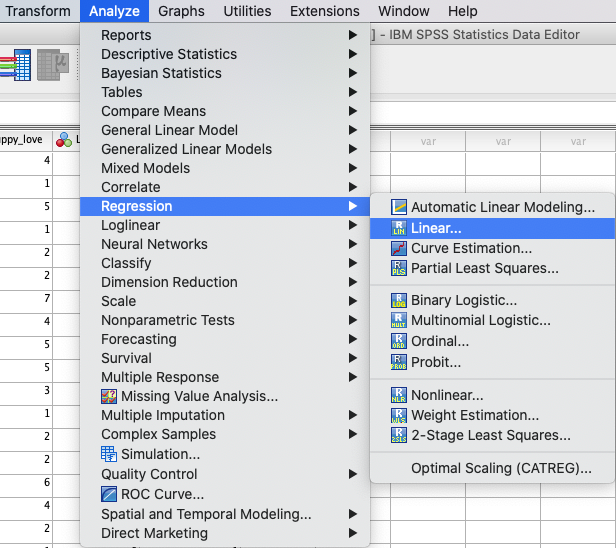
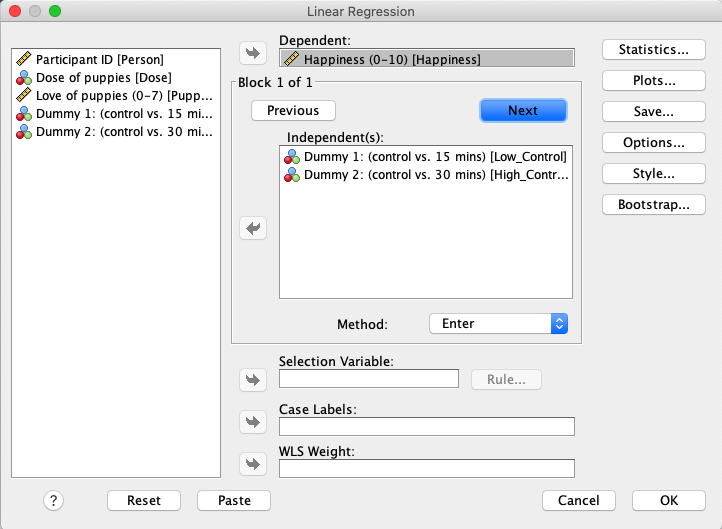
SPSSでは、次の方法で回帰分析を実行します: |
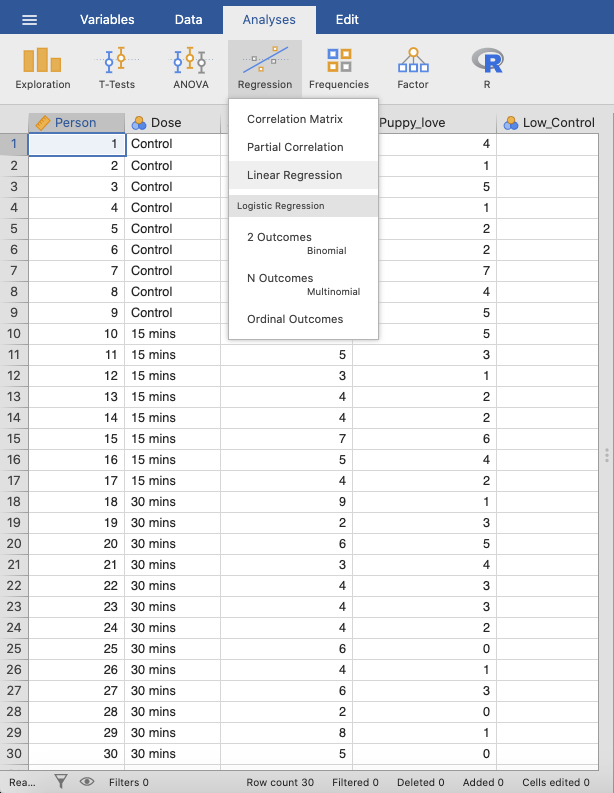
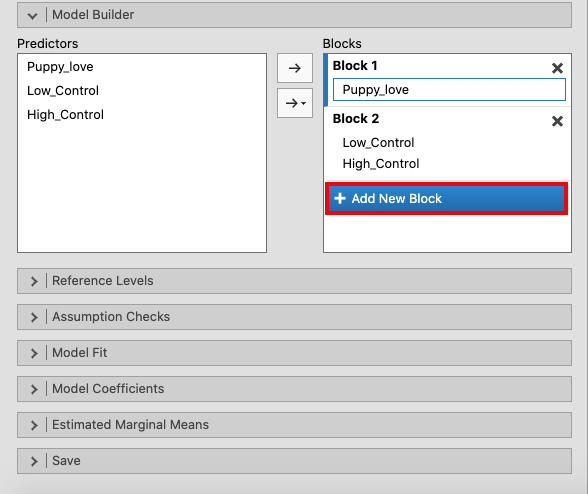
jamoviでは、次の方法で実行します: |
|
|
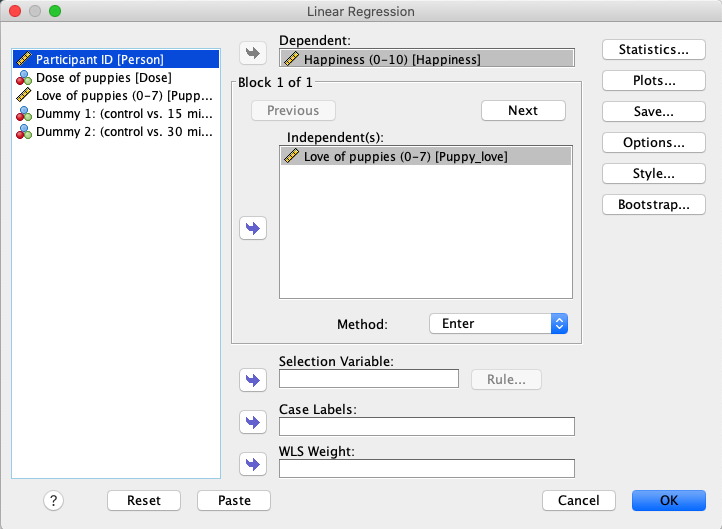
In SPSS, move |
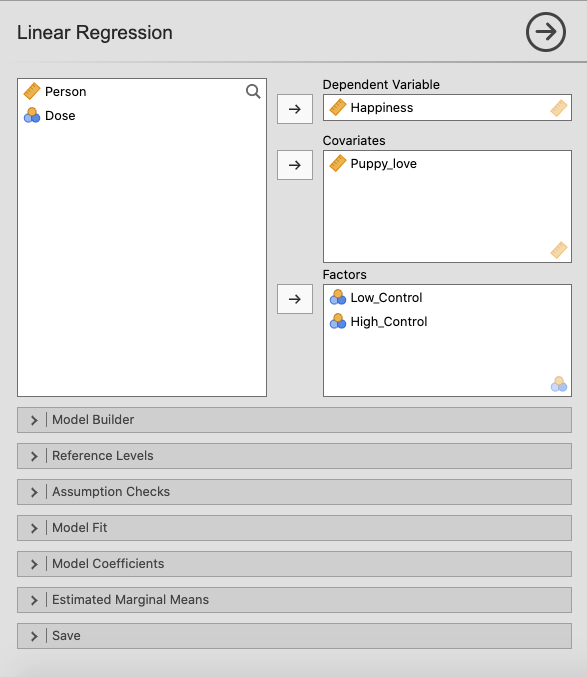
In jamovi, move |
|
|
Press the |
Create a new block of independent variables using |
|
|
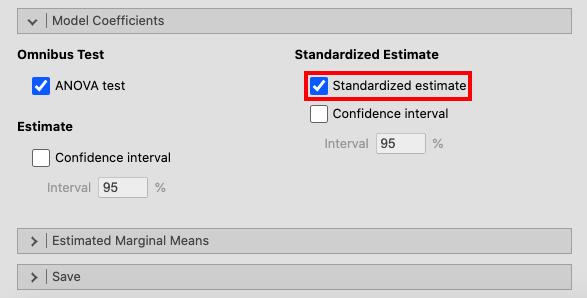
Open the |
|
|
|
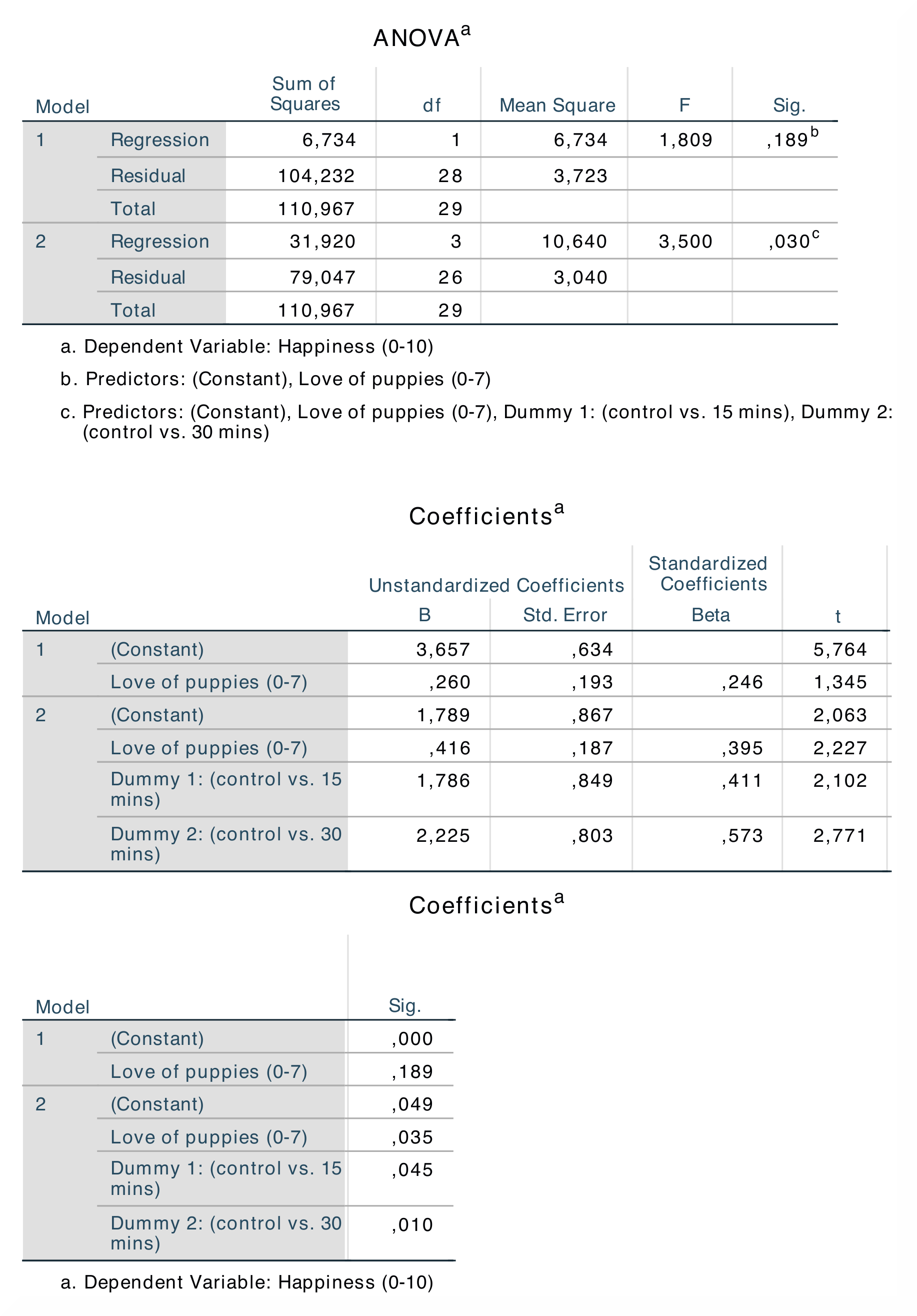
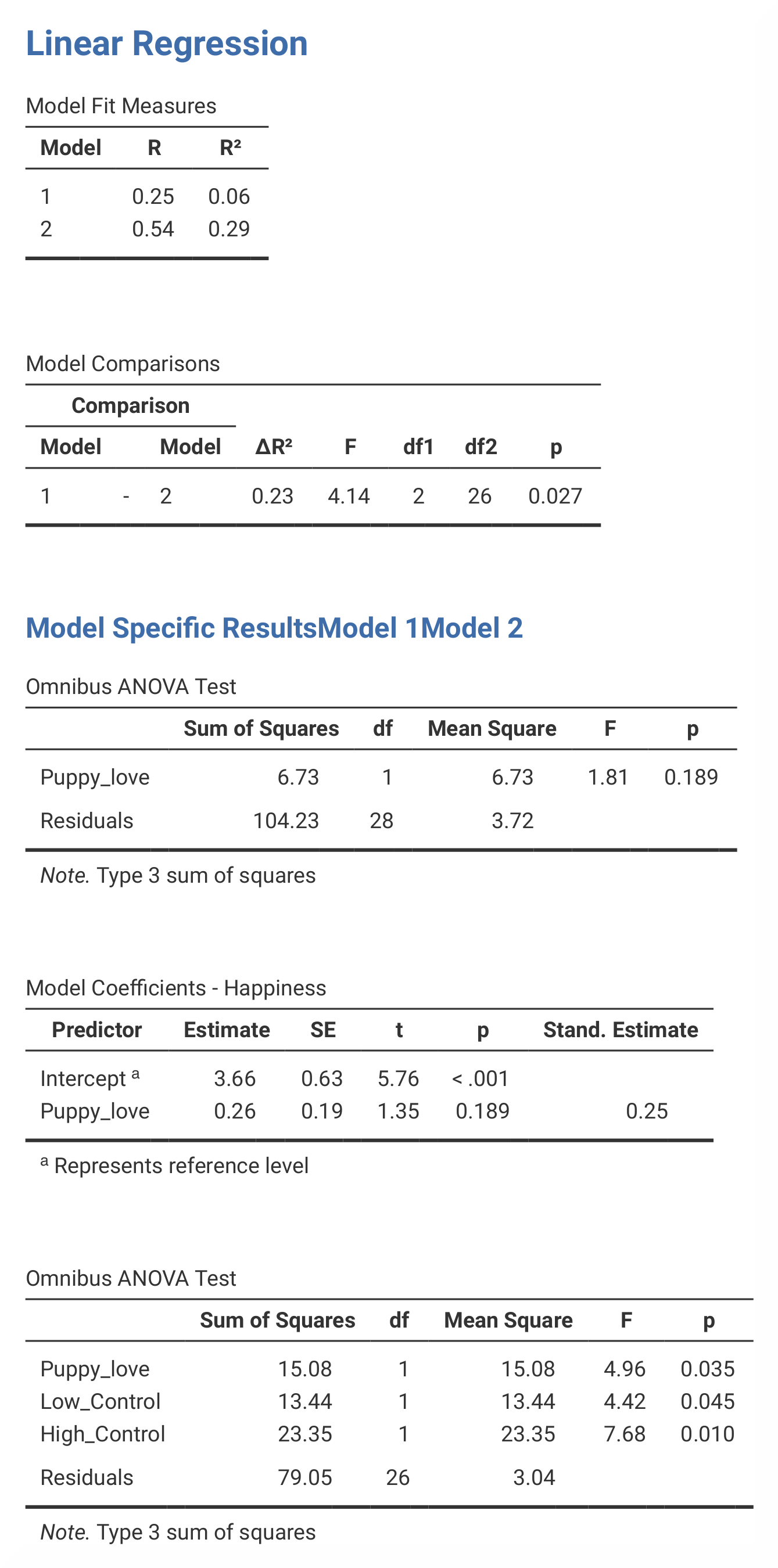
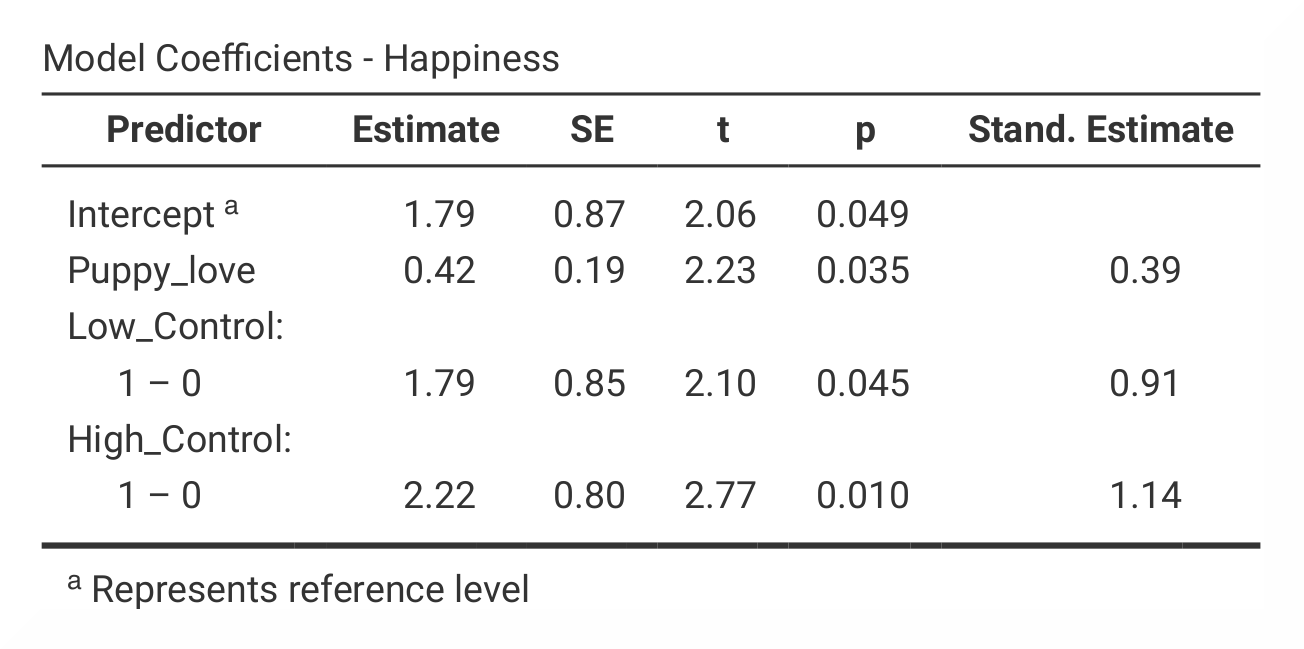
If you compare the SPSS and jamovi outputs, the results are the same. However, the output from jamovi is much clearer as it only includes the most important information. The results are found in slightly different places in SPSS and in jamovi. |
|
|
|
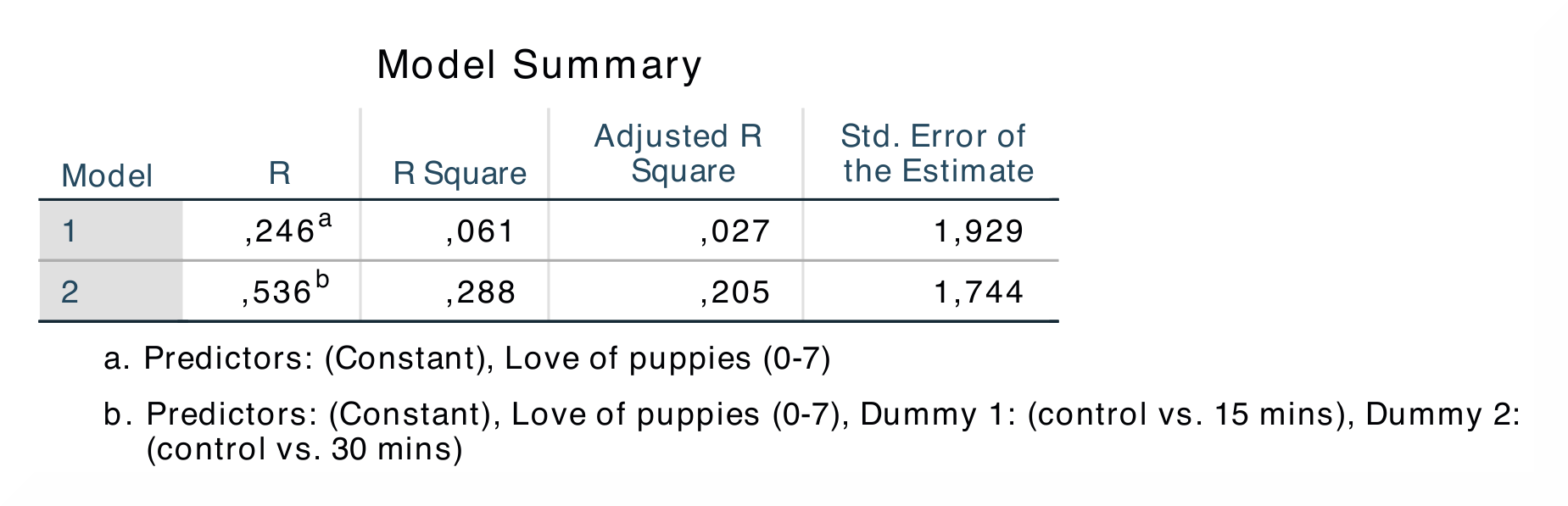
In SPSS, the output table |
In jamovi, the R *and *R²-values are found in the output table |
The R *and *R²-values are found in the first and second column in the first output table in both SPSS and jamovi. In contrast to SPSS, jamovi splits the
The numerical values for the model 2 statistics are identical: R = 0.54, R² = 0.29; b = 0.42, p < .05; β = 0.39, p < .05. |
|
If you wish to replicate those analyses using syntax, you can use the commands below (in jamovi, just copy to code below to Rj). Alternatively, you can download the SPSS output files and the jamovi files with the analyses from below the syntax. |
|
REGRESSION
  /MISSING LISTWISE
  /STATISTICS COEFF OUTS R ANOVA
  /CRITERIA=PIN(.05) POUT(.10)
  /NOORIGIN
  /DEPENDENT Happiness
  /METHOD=ENTER Puppy_love
  /METHOD=ENTER Low_Control High_Control.
|
jmv::linReg(
    data = data,
    dep = Happiness,
    covs = Puppy_love,
    factors = vars(Low_Control, High_Control),
    blocks = list(
        list("Puppy_love"),
        list("Low_Control", "High_Control")),
    refLevels = list(
        list(var="Low_Control", ref="0"),
         list(var="High_Control", ref="0")),
    anova = TRUE)
|