この節の作者: Jonas Rafi
線形回帰
jamoviで線形回帰を行う手順は次の通りです。
- 分析には、
 連続型従属変数1つと、1つまたは複数の 連続型説明変数(共変量)が必要です。データは次のように入力されている必要があります。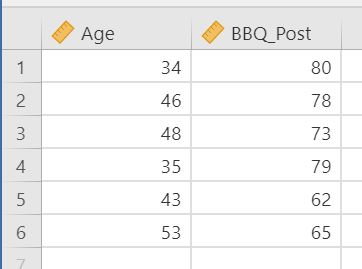
分析(Analyses)→回帰(Regression)→線形回帰(Linear Regression)を選択します。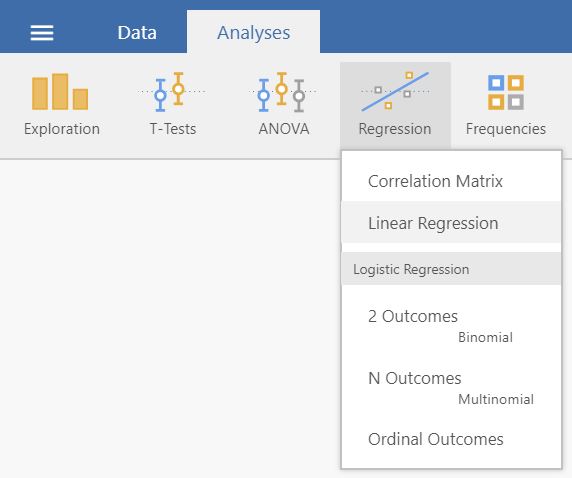
- Drag and drop your dependent variable to
Dependent Variableand your explanatory variable toCovariatesif it is continuous or toFactorsif it is categorical.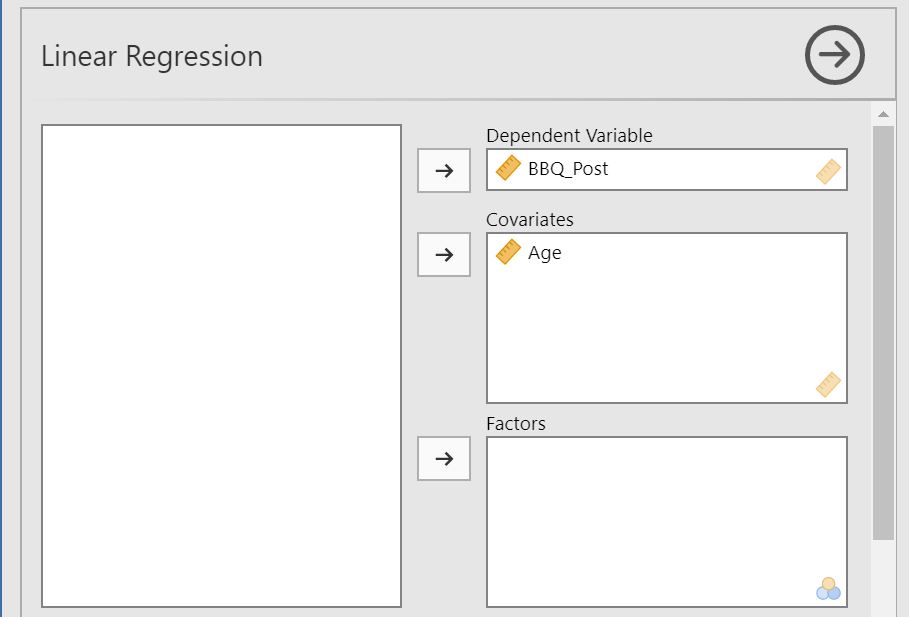
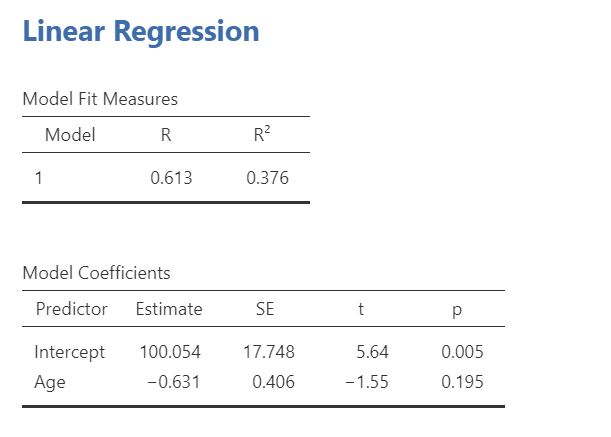
- 結果は右側のパネルに表示されます。
Tip
Those who have previous experience with SPSS may want to have a look at the side-by-side-comparison of how a linear
regression is conducted in SPSS and jamovi.
コミュニティ資源
A more comprehensive introduction into this statistical method is provided by this video by Barton Poulson.
For those, aiming to stretch even further to an in-depth introduction, you can read the respective section in the “Learning statistics with jamovi” web
documentation or chapter 12.3 - 11 of the e-book by Danielle J. Navarro and David R. Foxcroft.