Section author: Jonathon Love
சமோவி மற்றும் ஆர் ஆகியவற்றை இணைத்தல்
A huge advantage of jamovi is that it is not only built on top of the R
statistical language, it also makes it also very easy to access R from jamovi,
and jamovi from R. The syntax mode, Rj, jmvconnect and jmvReadWrite help
you to achieve that.
தொடரியல் பயன்முறை
சாமோவி ஒரு “ஆர் தொடரியல் பயன்முறையையும்” வழங்குகிறது, இந்த பயன்முறையில், சாமோவி ஒவ்வொரு பகுப்பாய்விற்கும் சமமான ஆர் குறியீட்டை உருவாக்குகிறார். தொடரியல் பயன்முறையில் மாற்ற, சாமோவியின் மேல் வலதுபுறத்தில் உள்ள பயன்பாட்டு பட்டியல் (⋮) ஐத் தேர்ந்தெடுத்து, அங்குள்ள
தொடரியல் பயன்முறைதேர்வுப்பெட்டியை சரிபார்க்கவும். இதை இரண்டாவது முறையாக சொடுக்கு செய்வதன் மூலம் தொடரியல் பயன்முறையை விட்டு வெளியேற முடியும்.தொடரியல் பயன்முறையில், பகுப்பாய்வுகள் முன்பு போலவே தொடர்ந்து இயங்குகின்றன, ஆனால் இப்போது அவை R தொடரியல் உருவாக்குகின்றன. சமோவியில் உள்ள அனைத்து முடிவுப் பொருள்களையும் போலவே, நீங்கள் இந்த உருப்படிகளை (ஆர் தொடரியல் உட்பட) வலது சொடுக்கு செய்து அவற்றை ஒரு ஆர் அமர்வில் நகலெடுத்து ஒட்டலாம். சாமோவியுடன் சேர்க்கப்பட்டுள்ள அனைத்து பகுப்பாய்வுகளும் ஒரு ஆர் அமர்வுக்குள் கிடைக்கின்றன R தொகுப்பு jmv.
The provided R syntax does not include the data import step, but this can be easily achieved by using the R packages
jmvconnectandjmvReadWrite(explained in more detail below).jmvReadWriteenables you to read and write jamovi data files (.omv) in R,jmvconnectpermits you to access data sets that you have opened in your jamovi session from R.
`` Rj`` ஆசிரியர்
ஆர்.சே. எடிட்டர்சாமோவியில் தரவை நேரடியாக பகுப்பாய்வு செய்யஆர்குறியீட்டைப் பயன்படுத்தவும், சமோவிக்குள் இருந்து உங்களுக்கு பிடித்த ஆர் தொகுப்புகளைப் பயன்படுத்தவும் உங்களை அனுமதிக்கிறது. `` Rj`` என்பது சாமோவிக்கான ஒரு தொகுதி (பார்க்க சமோவியில் தொகுதிகள் நிறுவவும்) இது சமோவிக்குள் இருந்து தரவை பகுப்பாய்வு செய்ய ஆர் நிரலாக்க மொழியைப் பயன்படுத்த அனுமதிக்கிறது.
இதை நீங்கள் செய்ய விரும்புவதற்கான பல காரணங்கள் உள்ளன; ஆர் தொகுப்புகளில் (இன்னும்) சாமோவி தொகுதிகளாக கிடைக்காத (இன்னும்) நிறைய பகுப்பாய்வுகள் கிடைக்கின்றன, மேலும் இந்த பகுப்பாய்வுகளை சாமோவிக்குள்ளேயே பயன்படுத்த `` rj`` உங்களை அனுமதிக்கிறது. கூடுதலாக, நீங்கள் சுழல்கள் மற்றும் IF- புள்ளிவிவரங்களைப் பயன்படுத்தலாம், (மற்றவற்றுடன்) நிபந்தனை பகுப்பாய்வு மற்றும் உருவகப்படுத்துதல் ஆய்வுகளை அனுமதிக்கிறது.
சிலருக்கு, ஒரு விரிதாளில் R ஐப் பயன்படுத்துவது `` r`` கற்கத் தொடங்க சிறந்த இடமாக இருக்கும். மற்றவர்களுக்கு, குறைந்த தொழில்நுட்ப ஆர்வமுள்ள சகாக்களுடன் ஆர் பகுப்பாய்வுகளைப் பகிர்ந்து கொள்வது எளிதான வழியாகும் (மேலும் சிலர் குறியீட்டை விரும்புகிறார்கள்).
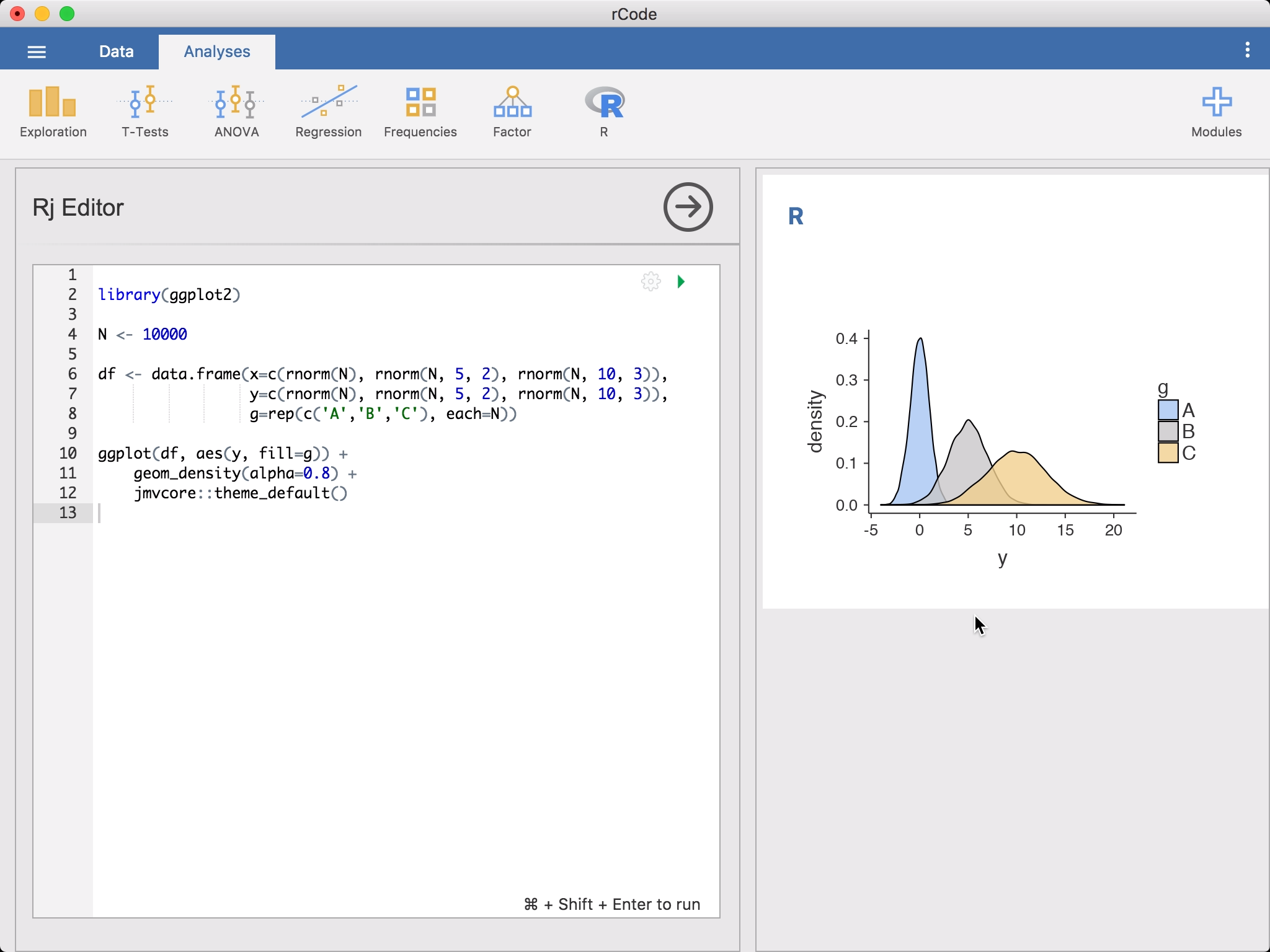
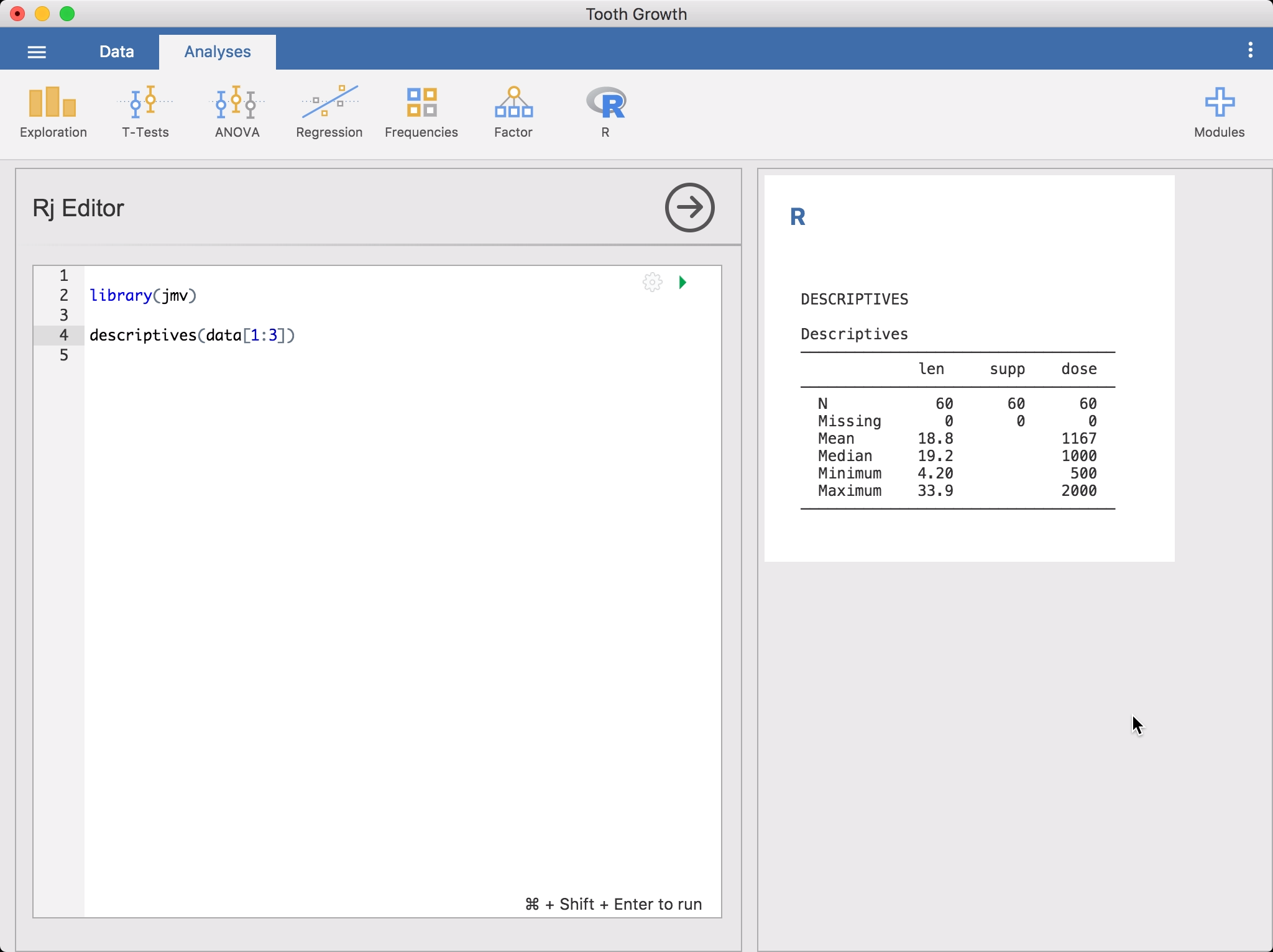
ஆர் பகுப்பாய்வை இயக்க, `` அனலீச்ச்` ரிப்பனில் ஆர்`-ஐகானிலிருந்து` ஆர்.சே. எடிட்டர் என்பதைத் தேர்ந்தெடுக்கவும். இது உங்கள் `` r`` குறியீட்டை உள்ளிடுவதற்கு எடிட்டரை கொண்டு வரும். சாமோவியில் நீங்கள் திறந்த தரவு தொகுப்பு ஒரு தரவு சட்டமாக உங்களுக்கு கிடைக்கிறது, வெறுமனே `` தரவு``. தொடங்குவதற்கு, நீங்கள் `` விளக்கங்கள்`` ஐ இயக்க விரும்பலாம்.
அல்லது நீங்கள் `` dplyr`` அணுகுமுறையை விரும்பினால், நீங்கள் செல்லலாம்:
library(jmv)
library(dplyr)
library(magrittr)

select(data, 1:3) %>% descriptives()
இந்த குறியீட்டை உள்ளிடும்போது நீங்கள் கவனிப்பீர்கள், `` rj`` ஆட்டோ-ச்கக்ச்டுகள் செயல்பாட்டு பெயர்கள். குறியீட்டை இயக்க, பச்சை முக்கோணத்தில் சொடுக்கு செய்க அல்லது கட்டுப்பாடு + சிப்ட் + ENTER ஐ அழுத்தவும் (அல்லது ⌘ + உயர்த்து + நீங்கள் MAC இல் இருந்தால் ENTER). சாமோவி `` ஆர்`` குறியீட்டை இயக்கும், மேலும் முடிவுகள் மற்ற பகுப்பாய்வுகளைப் போல முடிவுகள் குழுவில் தோன்றும். நீங்கள் தொடர்ந்து குறியீட்டில் மாற்றங்களைச் செய்யலாம், பின்னர் அதை மீண்டும் இயக்கவும்.
இயல்பாக,
Rjசாமோவியுடன் தொகுக்கப்பட்டRபதிப்பைப் பயன்படுத்துகிறது. இதில் பல தொகுப்புகள் உள்ளன (jmvமற்றும் அனைத்தும் சார்புநிலைகள்), மற்றும் நீங்கள் தேவைப்பட்டால் தேவைப்பட்டால் கூடுதல்ஆர்தொகுப்புகளைப் பயன்படுத்துங்கள், பின்னர் நீங்கள் `` சிச்டம் ஆர்`` பதிப்பைப் பயன்படுத்த வேண்டும். நீங்கள் ⚙ (குறியீடு பெட்டியின் மேல் வலதுபுறத்தில்) தேர்ந்தெடுத்தால், பயன்படுத்தப்பட்ட `` r பதிப்பு`` மாற்றுவதற்கான விருப்பத்தைக் காண்பீர்கள். `` சிச்டம் ஆர்`` பதிப்பு உங்கள் கணினியில் நிறுவிய `` ஆர்`` பதிப்பைப் பயன்படுத்துகிறது.Rகுறியீட்டில் `` r`` இன் பதிப்பிற்கு நீங்கள் நிறுவிய அனைத்து தொகுப்புகளுக்கும் அணுகல் உள்ளது என்ற நன்மை இது. உங்களுக்கு கடைசியாக தேவைப்படுவது | JMVConnect | உங்கள் கணினியில் ஆர் நூலகத்தில் ஆர் தொகுப்பு நிறுவப்பட்டுள்ளது. இந்த தொகுப்பு உங்கள் கணினியில்Rபதிப்பை சாமோவி தரவு தொகுப்புகளை அணுக அனுமதிக்கிறது. நீங்கள் அதைRஉடன் நிறுவலாம்:
jmvconnect R package
The
jmvconnectR package allows theRversion on your system to access the data sets that you opened in jamovi. You can install it inRwith:install.packages('jmvconnect')இது முடிந்ததும், `` சமோவி ஆர்`` இலிருந்து `` சிச்டம் ஆர்`` க்கு நகர்த்துவது தடையற்றதாக இருக்க வேண்டும்.
நீங்கள் `` சிச்டம் ஆர்`` பதிப்பைப் பயன்படுத்தும்போது சாமோவி கோப்புகளை தம ஊழியர்களுடன் பகிர்வது சற்று சிக்கலானதாகிவிடும் என்பதை நினைவில் கொள்வது மதிப்பு. அவர்கள் மாற்றங்களைச் செய்ய விரும்பினால், உங்கள் பகுப்பாய்வுகளை மீண்டும் இயக்க விரும்பினால், அவர்கள் அதே ஆர் தொகுப்புகளை நிறுவ வேண்டும்-இது நெகிழ்வுத்தன்மையின் விலை!
`` Rj`` `` r`` குறியீட்டை இயக்கும்போது, இயல்பாகவே இது முழு தரவு தொகுப்பையும் `` தரவு`` எனப்படும் தரவு சட்டகமாக கிடைக்கச் செய்கிறது. இருப்பினும், உங்கள் பகுப்பாய்வு சில நெடுவரிசைகளைப் பயன்படுத்துகிறது, மேலும் முழு தரவு தொகுப்பு தேவையில்லை. உங்கள் ச்கிரிப்ட்டின் மேற்புறத்தில், படிவத்தின் சிறப்பு கருத்தை சேர்ப்பதன் மூலம் பகுப்பாய்விற்கு கிடைக்கக்கூடிய நெடுவரிசைகளை நீங்கள் கட்டுப்படுத்தலாம்:
# (column1, column2, column3)

library(jmv)

...
இந்த நிகழ்வில், பெயரிடப்பட்ட நெடுவரிசைகள் மட்டுமே தரவு தரவு சட்டத்தில் தோன்றும். இது பகுப்பாய்வை விரைவுபடுத்தும், குறிப்பாக நீங்கள் பெரிய தரவுத் தொகுப்புகளுடன் பணிபுரிகிறீர்கள் என்றால். கூடுதலாக, இது பகுப்பாய்வு இந்த நெடுவரிசைகளை மட்டுமே பயன்படுத்துகிறது என்பதை சாமோவிக்கு தெரியப்படுத்துகிறது, மேலும் பிற நெடுவரிசைகளில் மாற்றங்கள் செய்யப்பட்டால் பகுப்பாய்வு மீண்டும் இயக்க தேவையில்லை.
தரவு தொகுப்பை பகுப்பாய்வு செய்வதற்கான ஆர் அமர்வுக்கு நீங்கள் மாற்ற விரும்பும் நேரங்கள் இருக்கலாம். இங்குதான் | jmvconnect | ஆர் தொகுப்பு கைக்கு வருகிறது. | jmvconnect | இயங்கும் சாமோவி நிகழ்விலிருந்து தரவுத் தொகுப்புகளை ஆர் அமர்வில் படிப்போம். இது இரண்டு செயல்பாடுகளைக் கொண்டுள்ளது: `` என்ன () `` கிடைக்கக்கூடிய தரவுத் தொகுப்புகளை பட்டியலிடுகிறது, மேலும் `` படிக்க () `` அவற்றைப் படிக்கிறது. எடுத்துக்காட்டாக, நீங்கள் பயன்படுத்தலாம்:
> library(jmvconnect)
> what()

 Available Data Sets
 ─────────────────────────────────────
         Title           Rows    Cols
 ─────────────────────────────────────
    1    iris             150       5
    2    Tooth Growth      60       3
 ─────────────────────────────────────
இந்த இரண்டு கட்டளைகளில் ஒன்றைக் கொண்டு தரவுத் தொகுப்பைப் படியுங்கள்:
data <- read('Tooth Growth')
data <- read(2)
jmvReadWrite R package
The
jmvReadWriteR package reads and writes jamovi-data-files (.omv) inR. It can be installed with:install.packages('jmvReadWrite')A typical use case would be if you wanted to process a large number of result files (e.g., CSV-files from several participants in an experiment or with responses from different questionnaires). Wrangling data is often easiest achieved in R. Once you have assembled your dataset from these files, you can write it using the
write_omv()-function.library(jmvReadWrite) # assemble your data set (named dtaSet)... write_omv(dtaSet, "FILENAME.omv")Likewise does the
read_omv-function permit you to read jamovi-data-files intoR. Another typical use case would be reading a data file, doing manipulations that currently are not possible in jamovi, and then writing back the resulting modified file (in the jamovi file format).library(jmvReadWrite) dtaSet <- read_omv("FILENAME.omv") # do some modifications to your data set write_omv(dtaSet, "FILENAME.omv")There is a couple of helper functions implemented in
jmvReadWrite. They enable operations such as re-arranging the columns / variables of a data set (arrange_cols_omv), mass-converting a data files into the jamovi file format (convert_to_omv; e.g. from a statistics software that you used earlier), converting data files from long to wide format (long2wide_omv) and from wide to long format (wide2long_omv), adding variables from several data sets (merge_cols_omv), adding cases from several data sets (merge_rows_omv), or sort a data set after one or more variables (sort_omv).Another possible use case for
read_omvis the creation of R markdown files using the results of your jamovi analyses. ThegetSyn-parameter determines whether the syntax of the analyses contained in the file is extracted. For running the syntax, thejmvR package needs to be installed. If you would like to work with the results afterwards, it is recommended that you assign them to a variable (see the secondevalbelow). Tables from the results can be converted into a data frame with the functionasDF(e.g.,result$main$asDF).library(jmvReadWrite) library(jmv) data <- read_omv("FILENAME.omv", getSyn = TRUE) # the analyses are stored in the attribute syntax attr(data, "syntax") # with using an index, the n-th analysis can be accessed (first line) # and run / evaluated (second line) attr(data, "syntax")[[1]] eval(parse(text = attr(data, "syntax")[[1]])) # often it is more useful to assign the results to a variable when # running analyses and later on use the contents of that variable eval(parse(text = paste0("result = ", attr(data, "syntax")[[2]]))) names(result) # (returns the names of the output elements - tables, figures, and # groups: sub-headings, e.g., Estimated Marginal Means in an ANOVA, # that contain further tables and figures)